TDD 레드 그린 사이클
- 실패하는 테스트 먼저 작성(Red)
- 테스트가 통과하는 프로덕션 코드 작성(Green)
- 테스트가 통과하면 프로덕션 코드를 리팩토링(Refactor)
참고:
https://repo.yona.io/doortts/blog/issue/1
단위 테스트
- 기능 단위 테스트 코드 작성
- 순수하게 테스트 코드만 작성
- 개발 단계 초기에 문제를 발견하게 도와준다.
- 나중에 리팩토링을 하거나 라이브러리 업그레이드 등에서 기존 기능이 올바르게 작동하는지 확인
- 불확실성 감소
- 시스템에 대한 실제 문서 제공
- 새로운 기능이 추가될 때 기존 기능이 잘 작동되는지 보장
* JUnit4 -> JUnit5로 바꾸기
메인 클래스 생성
- 반드시 프로젝트 최상단에 위치해야 함
package com.talk.about;

import org.springframework.boot.SpringApplication;
import org.springframework.boot.autoconfigure.SpringBootApplication;

@SpringBootApplication
public class Application {
    public static void main(String[] args) {
        SpringApplication.run(Application.class, args);
    }
}- @SpringBootApplication: 스프링 부트 자동 설정(Bean 읽기/생성) -> 작성 위치부터 설정을 읽기 때문에 최상단에 있어야 함
- SpringApplication.run(): 내장 WAS 실행 -> 언제 어니서나 같은 환경에서 스프링 부트 배포 가능
HelloController
package com.talk.about.web;

import org.springframework.web.bind.annotation.GetMapping;
import org.springframework.web.bind.annotation.RestController;

@RestController
public class HelloController {

    @GetMapping("/hello")
    public String hello() {
        return "hello";
    }
}
HelloControllerTest
- JUnit4에서 JUnit5로 바뀌면서 변경사항
- @RunWith -> @ExtendWith
- SpringRunner -> SpringExtension
- @After/@Before -> @AfterEach/@BeforeEach
package com.talk.about.web;


import org.junit.jupiter.api.Test;
import org.junit.jupiter.api.extension.ExtendWith;
import org.springframework.beans.factory.annotation.Autowired;
import org.springframework.boot.test.autoconfigure.web.servlet.WebMvcTest;
import org.springframework.test.context.junit.jupiter.SpringExtension;
import org.springframework.test.web.servlet.MockMvc;

@ExtendWith(SpringExtension.class)
@WebMvcTest(controllers = HelloController.class)
public class HelloControllerTest {

    @Autowired
    private MockMvc mvc; // Web API 테스트 시 사용

    @Test
    public void returnHello() throws Exception {
        String hello = "hello";

        mvc.perform(get("/hello")) // MockMvc를 통해 요청
                .andExpect(status().isOk()) // 결과 검증, header의 status
                .andExpect(content().string(hello)); // 본문 내용 검증
    }

}- @ExtendWith(SpringExtension.class)
- 테스트를 진행할 때 JUnit에 내장된 실행자 외에 다른 실행자를 실행
- SpringExtension 스프링 실행자가 스프링 부트 테스트와 JUnit 사이 연결자 역할
- @WebMvcTest
- Web에 집중할 수 있는 어노테이션
- @Controller, @ControllerAdvice 사용 가능
* 실행이 안됨 get(), status(), content() 메서드를 인식하지 못함
방법1:
mvc.perform(MockMvcRequestBuilders.get("/hello"))
    .andExpect(MockMvcResultMatchers.status().isOk())
    .andExpect(MockMvcResultMatchers.content().string(hello));
방법2:
import static org.springframework.test.web.servlet.request.MockMvcRequestBuilders.get;
import static org.springframework.test.web.servlet.result.MockMvcResultMatchers.status;
import static org.springframework.test.web.servlet.result.MockMvcResultMatchers.content;
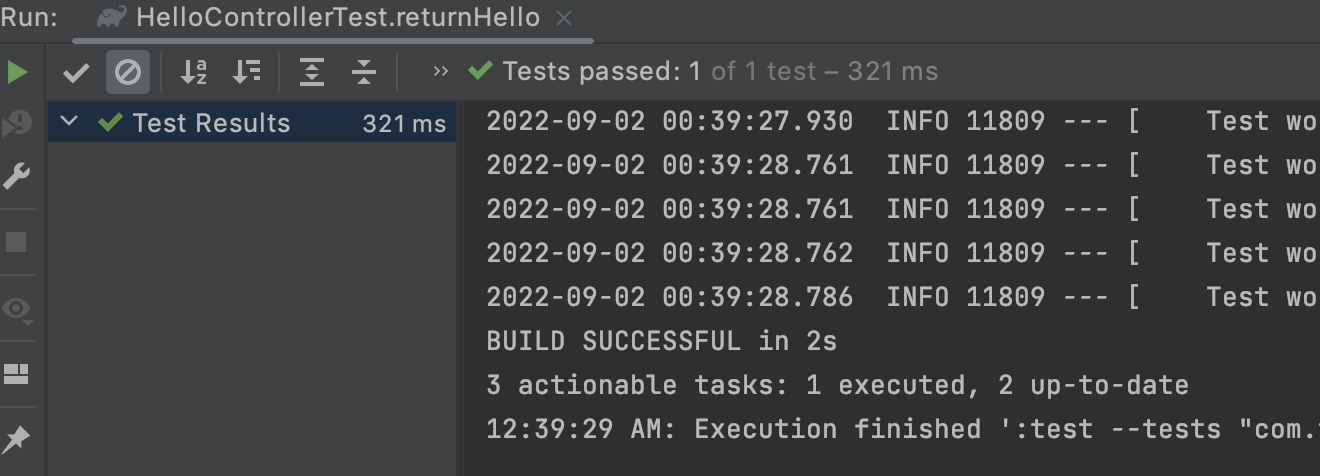
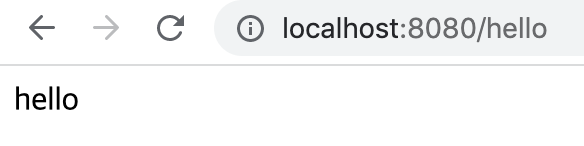
* 테스트 코드로 검증 후 확인이 필요할 때 프로젝트를 실행하여 확인 -> 순서 꼭 지키기
Lombok
- Getter, Setter, 기본 생성자, toString 어노테이션 자동 생성
- 매 프로젝트마다 추가, 설정해야함
- build.gradle에 추가하기
- plugin 설치, 설정
implementation('org.projectlombok:lombok')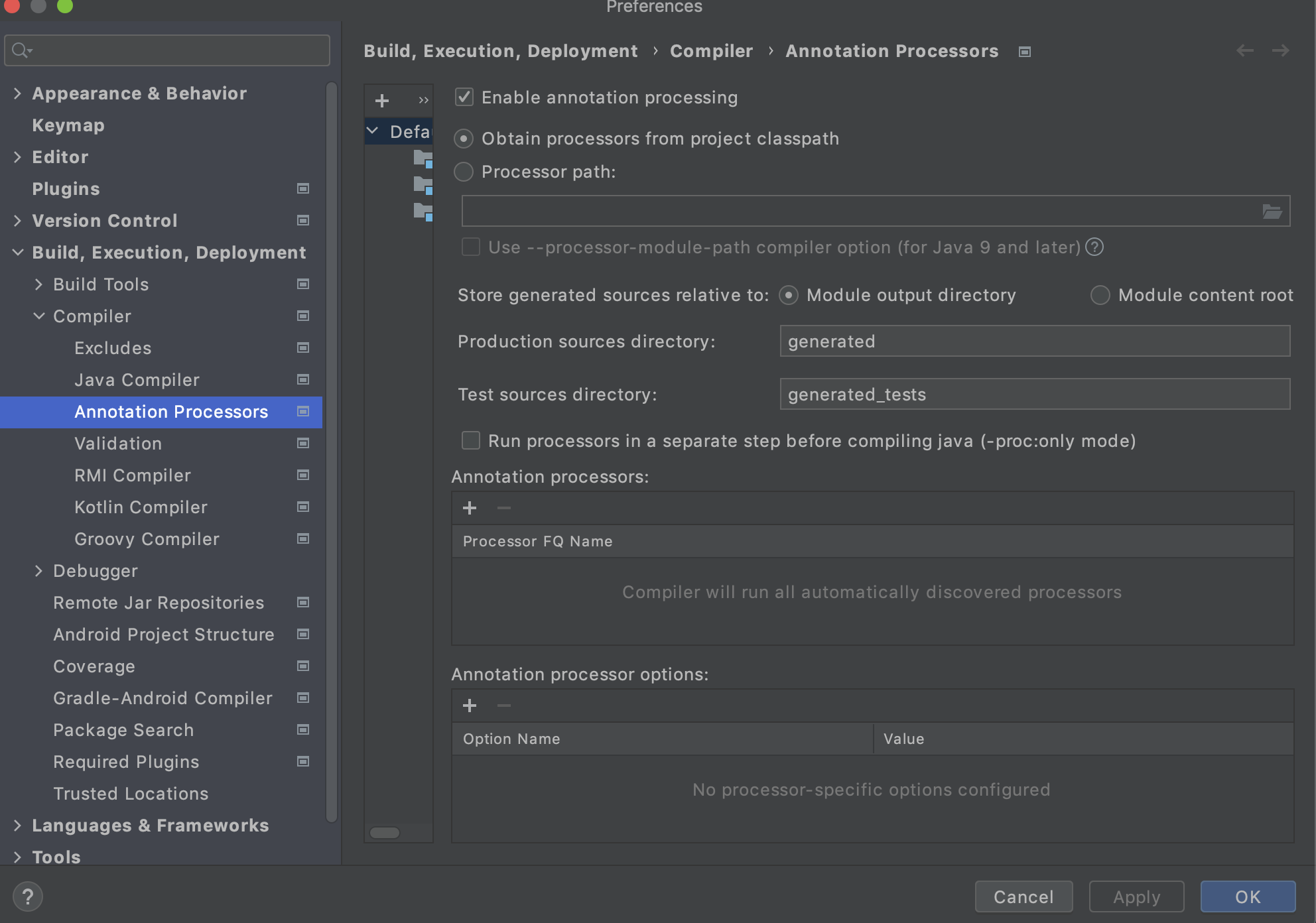
Dto 생성
package com.talk.about.web.hello.dto;

import lombok.Getter;
import lombok.RequiredArgsConstructor;

@Getter
@RequiredArgsConstructor
public class HelloResponseDto {
    private final String name;
    private final int amount;

}- @Getter
- 선언된 모든 필드의 get 메서드 생성
- @RequiredArgsConstructor
- 선언된 모든 final 필드가 포함된 생성자 생성
- final이 없는 필드는 포함하지 않음
* Test 클래스 생성하기
- 클래스 창에서 클래스 이름에 커서를 두고 ctrl + shift + t
- 아니면 alt + enter
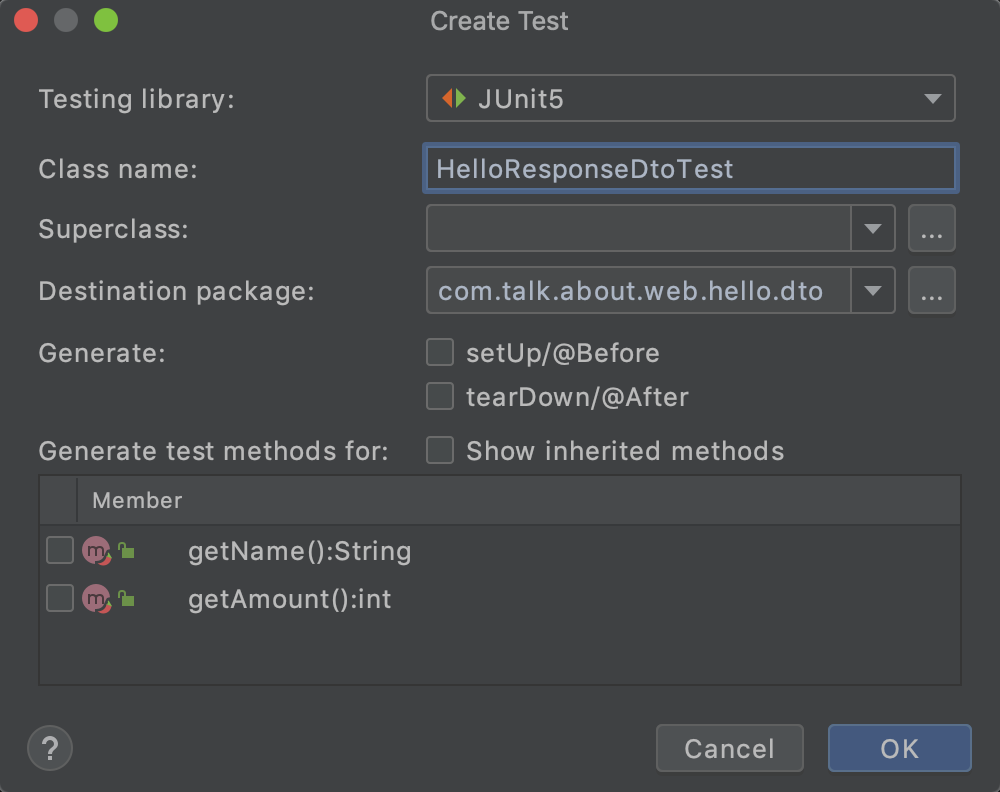
HelloResponseDtoTest
package com.talk.about.web.hello.dto;

import org.junit.jupiter.api.Test;

import static org.assertj.core.api.Assertions.assertThat;

class HelloResponseDtoTest {

    @Test
    public void testLombok() {
        //given
        String name = "test";
        int amount = 1000;

        //when
        HelloResponseDto dto = new HelloResponseDto(name, amount);

        //then
        assertThat(dto.getName()).isEqualTo(name);
        assertThat(dto.getAmount()).isEqualTo(amount);
    }
}- assertThat
- assertj 라는 테스트 검증 라이브러리의 검증 메서드
- 검증 대상을 파라미터로 받음
- isEqualTo
- assert의 동등 비교 메서드
* JUnit vs assertj
- CoreMatchers와 달리 추가 라이브러리 필요 x
- JUnit의 assertThat을 쓰게 되면 is()와 같이 CoreMatchers 라이브러리 필요
- 자동완성이 좀 더 확실하게 지원
- IDE에서는 CoreMatchers와 같은 Matcher 라이브러리 자동완성 지원이 약함
참고:
https://www.youtube.com/watch?v=zLx_fI24UXM&t=408s
* error 발생:
error: variable name not initialized in the default constructor
- gradle 5.x 이상에서는 Lombok 의존성 바뀜
// gradle 4
implementation('org.projectlombok:lombok')

// gradle 5
compileOnly('org.projectlombok:lombok')
annotationProcessor('org.projectlombok:lombok')
참고:
https://github.com/jojoldu/freelec-springboot2-webservice/issues/2
파라미터 테스트
// HelloController
@GetMapping("/hello/dto")
public HelloResponseDto helloDto(
      @RequestParam("name") String name,
      @RequestParam("amount") int amount) {
  return new HelloResponseDto(name, amount);
}
// HelloControllerTest
import static org.hamcrest.Matchers.is;
...
@Test
public void returnHelloResponseDto() throws Exception {
String name = "hello";
int amount = 1000;
mvc.perform(get("/hello/dto")
.param("name", name)
.param("amount", String.valueOf(amount)))
.andExpect(status().isOk())
.andExpect(jsonPath("$.name", is(name)))
.andExpect(jsonPath("$.amount", is(amount)));
}- @RequestParam
- 외부에서 API로 넘긴 파라미터를 가져오는 어노테이션
- param
- API 테스트 시 사용될 요청 파라미터 설정
- String만 허용
- jsonPath
- JSON 응답값을 필드별로 검증
- $를 기준으로 필드명 명시
* 테스트 실행시 INFO 메시지:
INFO: 0 containers and 1 tests were Method or class mismatch- 테스트 클래스에 테스트가 2개 이상일 때 하나씩 실행하면 발생
- 원인: JUnit이 아닌 Gradle로 빌드해서
- Preferences 설정
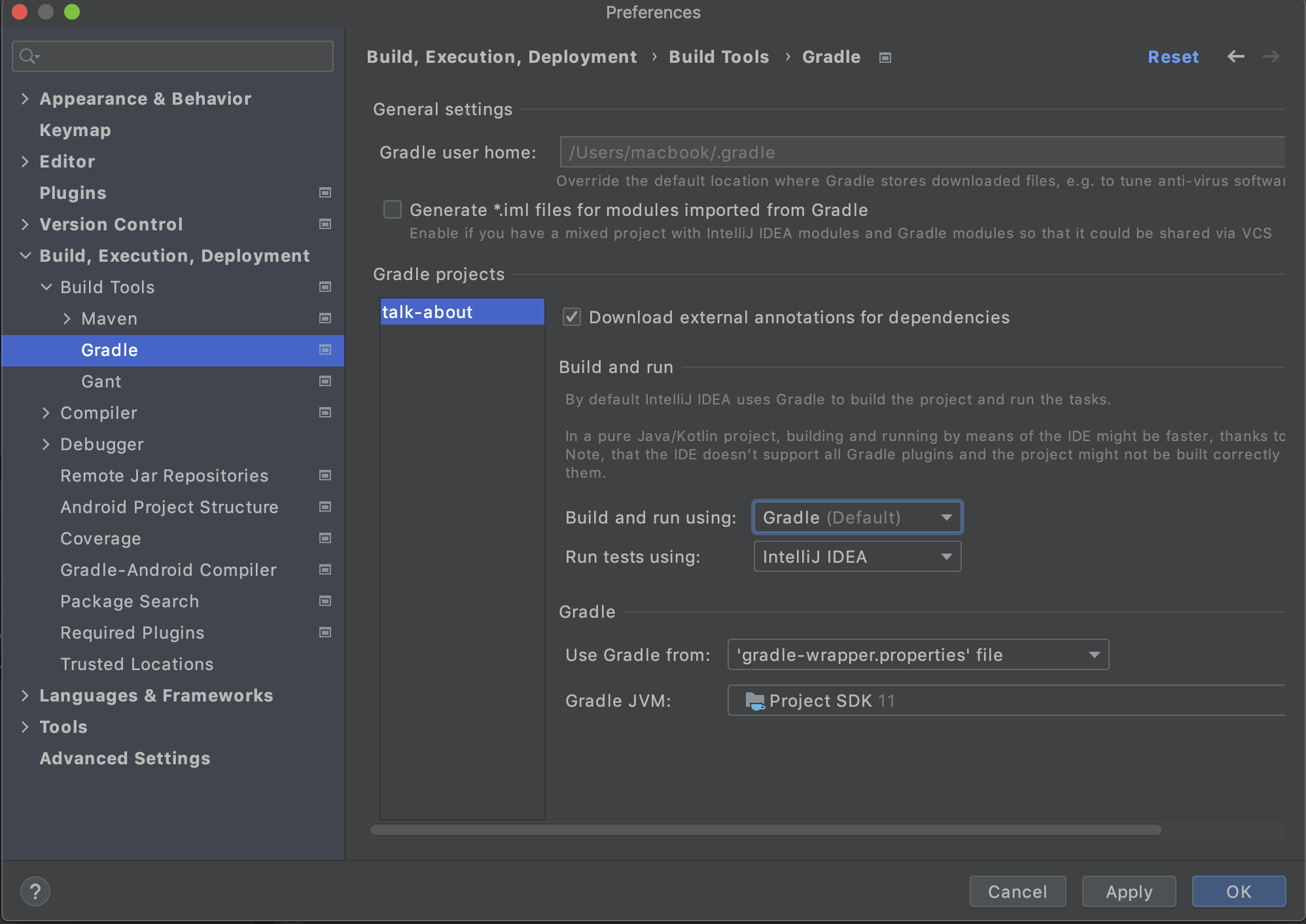
+ application 서버 종료할 때:
| Execution failed for task ':Application.main()'. ... |
에러가 뜨는데 위 Gradle 설정에서 Build and run using도 InteliJ IDEA로 바꾸면 정상 종료 된다.
'개발 > Spring' 카테고리의 다른 글
| [SpringBoot] JPA Auditing으로 생성시간/수정시간 자동화하기 (0) | 2022.09.08 |
|---|---|
| [SpringBoot] API, API Test (0) | 2022.09.08 |
| [SpringBoot] Spring Data JPA (0) | 2022.09.07 |
| [SpringBoot] JPA (0) | 2022.09.06 |
| [SpringBoot] talk-about 프로젝트 시작하기 (0) | 2022.09.01 |


