목표: 게시판을 만들어 AWS에 무중단 배포하기
요구사항
|
|
Spring Data JPA 적용하기
- h2를 이용하여 실습
- build.gradle에 의존성 등록
implementation('org.springframework.boot:spring-boot-starter-data-jpa')
implementation('com.h2database:h2')
* h2
- 인메모리 관계형 데이터베이스
- 별도의 설치 없이 프로젝트 의존성만으로 관리 가능
- 애플리케이션을 재시작할 때 초기화 -> 테스트 용도로 많이 사용
* domain 패키지
- 도메인을 담을 패키지
- 도메인: 게시글, 댓글, 회원, 정산, 결제 등 소프트웨어에 대한 요구사항 혹은 문제영역
- Posts Entity 생성
import lombok.Builder;
import lombok.Getter;
import lombok.NoArgsConstructor;

import javax.persistence.*;

@Getter
@NoArgsConstructor
@Entity
public class Posts {

    @Id // PK
    @GeneratedValue(strategy = GenerationType.IDENTITY)
    private Long id;

    @Column(length = 500, nullable = false)
    private String title;

    @Column(columnDefinition = "TEXT", nullable = false)
    private String content;

    private String author;

    @Builder
    public Posts(String title, String content, String author) {
        this.title = title;
        this.content = content;
        this.author = author;
    }
}- @Entity
- 테이블과 링크될 클래스를 나타낸다.
- 기본값으로 클래스의 카멜케이스를 언더스코어 네이밍으로 매핑
- @GeneratedValue
- PK의 생성 규칙
- auto_increment 설정을 위해 Generation.IDENTITY 옵션 추가
- @Column
- 옵션이 없을 경우 선언하지 않아도 된다.
- @Builder - lombok
- 해당 클래스의 빌더 패턴 클래스 생성
- 생성자 상단에 선언 시 생성자에 포함된 필드만 빌더에 포함
* 수정 시 lombok의 어노테이션들은 코드 변경량을 최소화 시켜준다.
* 웬만하면 Entity의 PK를 Long 타입 Auto_increment 추천
- 주민번호 등 비즈니스상 유니크 키나 복합키를 PK로 할 경우
- FK를 맺을 때 다른 테이블에서 복합키 전부를 갖고 있거나, 중간 테이블을 하나 더 둬야하는 상황 발생
- 인덱스에 좋지 않은 영향
- 유니크한 조건이 변경될 경우 PK 전체를 수정해야 하는 일 발생
* Entity 클래스에서는 절대 Setter 메서드를 만들지 않는다.
- 해당 클래스의 인스턴스 값들이 언제 어디서 변해야 하는지 코드상으로 명확하게 구분할 수 없다.
- 기능 변경시 복잡해진다.
- 해당 필드의 값 변경이 필요하면 명확히 그 목적과 의도를 나타낼 수 있는 메서드를 추가
// 주문 취소 메서드를 만들 때 올바른 예시
public class Order {
  public void cancelOrder() {
    this.status = false;
  }
}

public void cancelOrderEvent() {
  order.cancelOrder();
}
* Setter가 없을 때 어떻게 값을 채워 DB insert 하는지
- 생성자를 통해 값을 채운 후 DB에 insert
- 값 변경이 필요한 경우 해당 이벤트에 맞는 public 메서드 호출
- @Builder를 통해 제공되는 빌더 클래스 사용
- 생성자의 경우 채워야 할 필드가 무엇인지 명확히 지정 불가
- 빌더를 사용하면 어느 필드에 어떤 값을 채워야 할지 명확하게 인지
Example.builder()
  .a(a)
  .b(b)
  .build();
- Repository 생성
- 보통 Dao라고 불리는 DB Layer 접근자
- JpaRepository<Entity 클래스, PK 타입>를 상속한 인터페이스로 생성
- 기본 CRUD 메서드가 자동 생성
- Entity 클래스와 함께 위치해야 한다.
import org.springframework.data.jpa.repository.JpaRepository;

public interface PostsRepository extends JpaRepository<Posts, Long> {
}
- test 작성
import org.junit.jupiter.api.AfterEach;
import org.junit.jupiter.api.Test;
import org.junit.jupiter.api.extension.ExtendWith;
import org.springframework.beans.factory.annotation.Autowired;
import org.springframework.boot.test.context.SpringBootTest;
import org.springframework.test.context.junit.jupiter.SpringExtension;

import java.util.List;

import static org.assertj.core.api.Assertions.assertThat;

@ExtendWith(SpringExtension.class)
@SpringBootTest
class PostsRepositoryTest {
    @Autowired
    PostsRepository postsRepository;

    @AfterEach
    public void cleanUp() {
        postsRepository.deleteAll();
    }

    @Test
    public void TestsavePostAndGetList() {
        //given
        String title = "테스트 제목";
        String content = "테스트 본문";

        postsRepository.save(Posts.builder()
                .title(title)
                .content(content)
                .author("imjaja09@gmail.com")
                .build());

        //when
        List<Posts> postsList = postsRepository.findAll();

        //then
        Posts posts = postsList.get(0);
        assertThat(posts.getTitle()).isEqualTo(title);
        assertThat(posts.getContent()).isEqualTo(content);
    }

}
* @AfterEach
- JUnit4에서 @After가 @AfterEach로 변경
- 단위 테스트가 끝날 때마다 수행되는 메서드 지정
- 배포 전 전체 테스트를 수행할 때 테스트간 데이터 침범을 막기 위해 사용
- 여러 테스트가 동시에 수행되면 H2에 데이터가 그대로 남아 테스트 실패 가능
* save()
- 테이블 posts에 insert/update 쿼리를 실행
- id 값이 있다면 update, 없다면 insert 실행
* @SpringBootTest
- 별다른 설정 없이 사용할 경우 H2 데이터베이스를 자동으로 실행
- 쿼리 로그 확인하기
- application.properties, application.yml 파일로 설정 권고
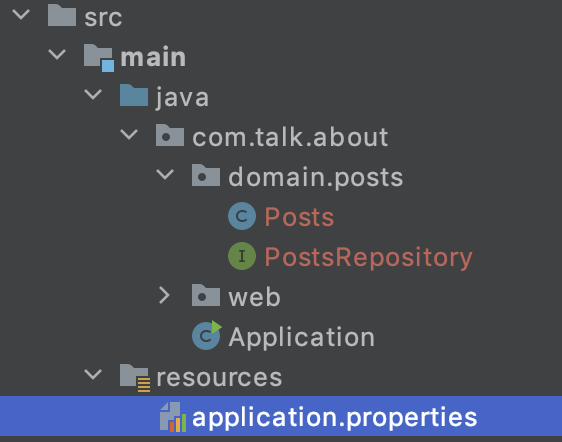
spring.jpa.show_sql=true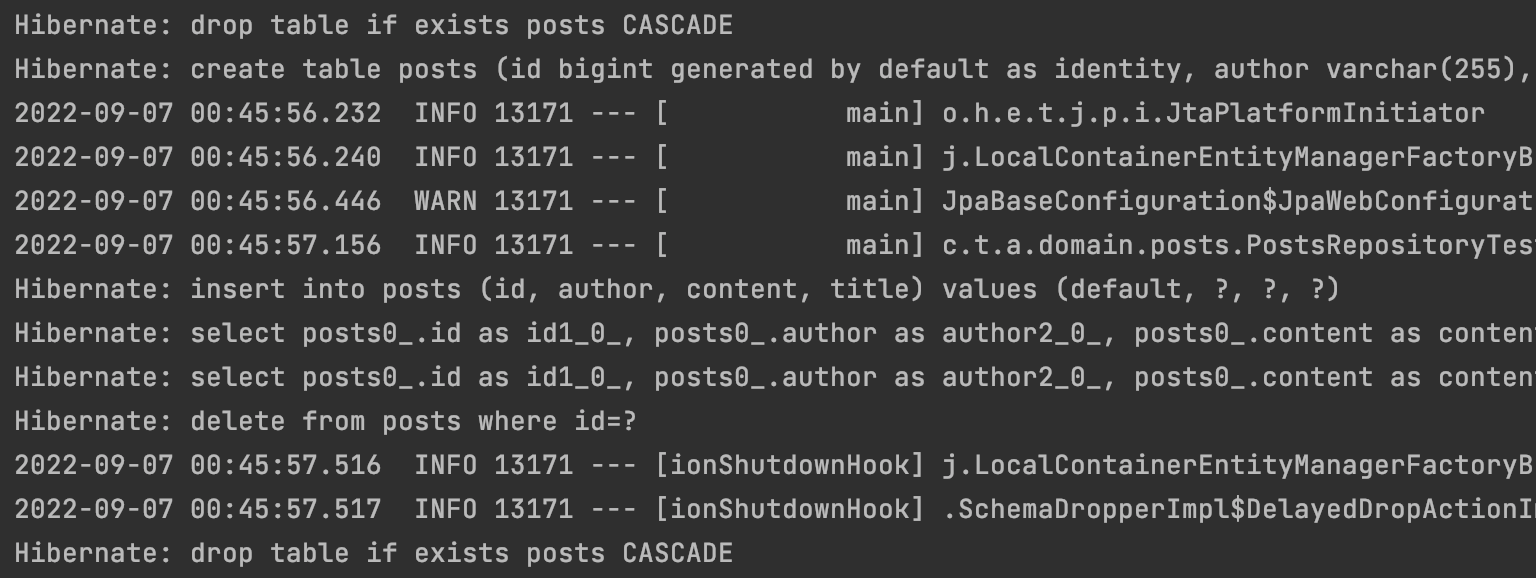
* create 쿼리에서 id bigint generated by default as identity 옵션
- H2 쿼리 문법 적용
- 이후 디버깅을 위해 MySQL 쿼리로 변경하기
- properties 파일에 추가
spring.jpa.properties.hibernate.dialect = org.hibernate.dialect.mysql5innodbdialect* gradle 버전이 변경되면서 위 코드 사용 불가 - 에러 발생
spring.jpa.properties.hibernate.dialect=org.hibernate.dialect.MySQL57Dialect
spring.jpa.properties.hibernate.dialect.storage_engine=innodb
spring.datasource.hikari.jdbc-url=jdbc:h2:mem://localhost/~/testdb;MODE=MYSQL
spring.h2.console.enabled=true
그리고 properties 파일을 yml로 변경하기
spring:
  jpa:
    show_sql: true
    properties:
      hibernate:
        dialect: org.hibernate.dialect.MySQL57Dialect
        storage_engine: innodb

  datasource:
    hikari:
      jdbc-url: jdbc:h2:mem://localhost/~/testdb;MODE=MYSQL

  h2:
    console:
      enabled: true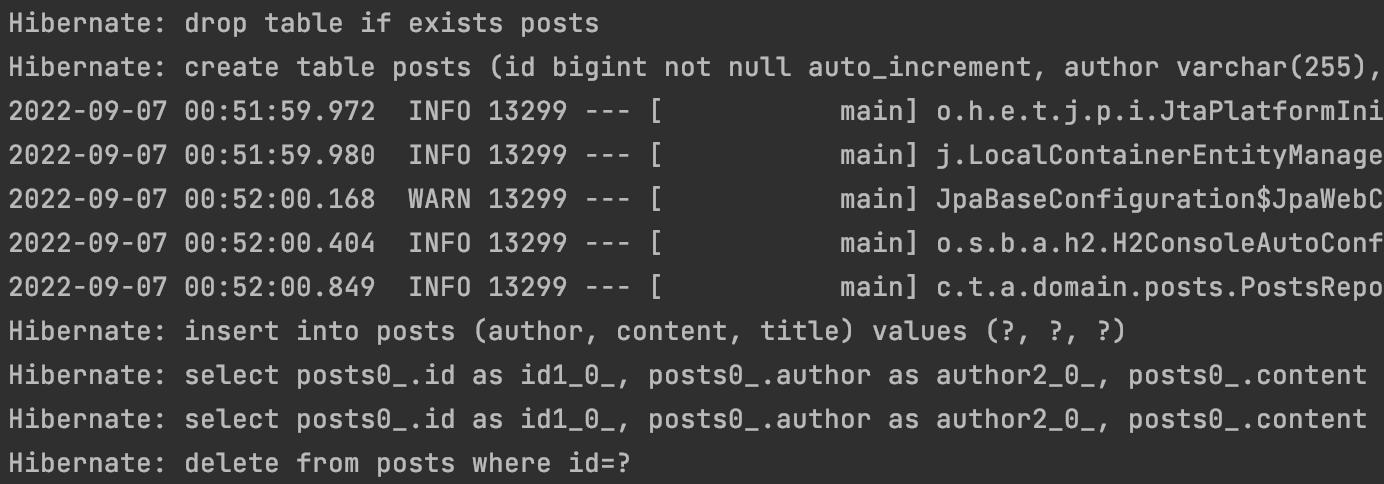
'개발 > Spring' 카테고리의 다른 글
| [SpringBoot] JPA Auditing으로 생성시간/수정시간 자동화하기 (0) | 2022.09.08 |
|---|---|
| [SpringBoot] API, API Test (0) | 2022.09.08 |
| [SpringBoot] JPA (0) | 2022.09.06 |
| [SpringBoot] test 코드 작성하기, Lombok (0) | 2022.09.02 |
| [SpringBoot] talk-about 프로젝트 시작하기 (0) | 2022.09.01 |


