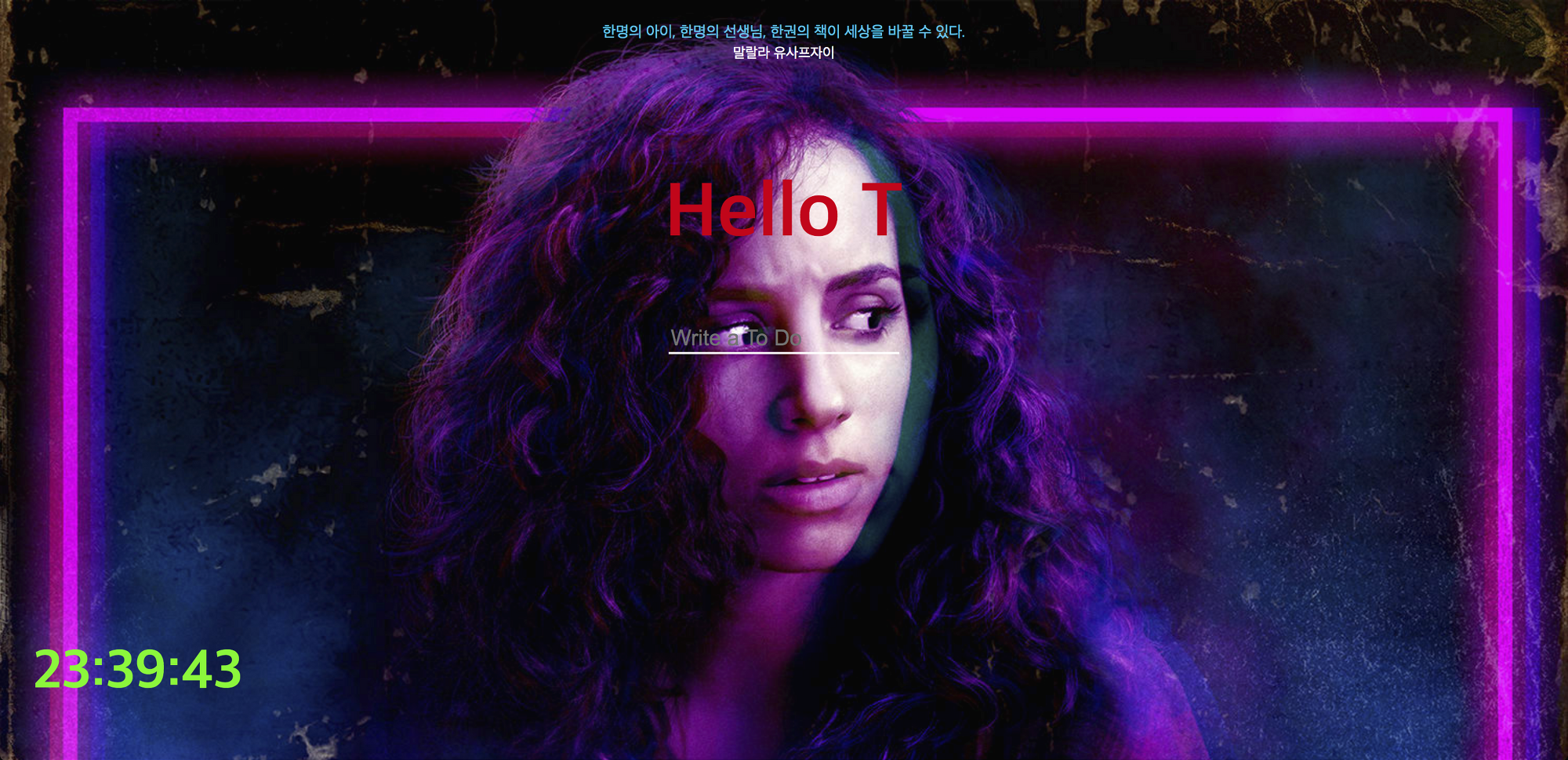
https://heyjaja.github.io/momentum/
날씨는 시계 밑에 넣었는데 위치를 꺼서 지금 안나옴
챌린지 제출 때문에 CSS 진짜 대충하느라고 이렇게 됐지만..
좀 더 디테일하게 수정 예정
js는 기존에서 background.js만 수정
<!DOCTYPE html>
<html lang="en">
     <head>
        <meta charset="UTF-8">
        <meta http-equiv="X-UA-Compatible" content="IE=edge">
        <meta name="viewport" content="width=device-width, initial-scale=1.0">
        <link rel="stylesheet" href="css/style.css" />
        <title>Momentum</title>
    </head>
    <body>
        <section class="center">
            <div id="quote">
                <span></span><br>
                <span></span>
            </div>
            <form class="hidden" id="login-form">
                <input required maxlength="15" type="text" placeholder="What is your name?" />
                <input type="submit" value="Log In" />
            </form>
            <h1 id="greeting" class="hidden"></h1>
            <form id="todo-form">
                <input type ="text" placeholder = "Write a To Do" required />
            </form>
            <ul id = "todo-list">
            </ul>
        </section>
        <h2 id="clock">00:00:00</h2>
        <div id="weather">
            <span></span>
            <span></span>
        </div>
        <script src="js/greetings.js"></script>
        <script src="js/clock.js"></script>
        <script src="js/quotes.js"></script>
        <script src="js/background.js"></script>
        <script src="js/todo.js"></script>
        <script src="js/weather.js"></script>
    </body>
</html>
.hidden{
display:none;
}
body{
background-size: cover;
}
#clock{
color: #0ff70b;
font-size: 50px;
margin:0;
position: absolute;
bottom: 50px;
left: 30px;
}
.center{
display: flex;
align-items: center;
flex-direction: column;
margin: 20px;
}
#quote{
text-align: center;
margin-bottom: 40px;
}
#weather{
color: white;
position: absolute;
bottom: 30px;
left: 30px;
}
#greeting{
color: #e20014;
font-size: 70px;
}
#quote span:first-child{
font-size: 14px;
color: #02c3ee;
}
#quote span:last-child{
font-size: 13px;
color: white;
}
#todo-list{
color: #ff2a87;
}
#login-form input[type=text]{
appearance:none;
background:none;
border:none;
font-size: 50px;
border-bottom: 2px solid white;
color: #e20014;
margin: 69px;
}
#login-form input[type=submit]{
display:none;
}
#todo-form input[type=text]{
appearance:none;
background:none;
border:none;
font-size: 20px;
border-bottom: 2px solid white;
color: #ff2a87;
}
button {
appearance:none;
background:none;
border:none;
}const images = ["1994.jpg","1978.jpg","1666.jpg"];
const chosenImage = images[Math.floor(Math.random()*images.length)];
const body = document.querySelector("body");
body.style.backgroundImage = `url(img/${chosenImage})`;
'개발 > JavaScript' 카테고리의 다른 글
| [바닐라 JS] querySelectorAll (0) | 2022.03.31 |
|---|---|
| 테트리스 게임 만들기 (0) | 2021.09.17 |
| 바닐라JS - 앱 만들기 Geolocation (0) | 2021.09.05 |
| 바닐라JS - 앱 만들기 to do list 2 (0) | 2021.09.05 |
| 바닐라JS - 앱 만들기 to do list (0) | 2021.09.05 |

