canvas
- html5 element
- pixel을 다룰 수 있음 -> context를 가짐
canvas 이벤트
1. canvas 안에서 마우스의 움직임을 감지하는 이벤트
function onMouseMove(event) {
	console.log(event);
}

if(canvas) {
	canvas.addEventListener("mousemove", onMouseMove)
}
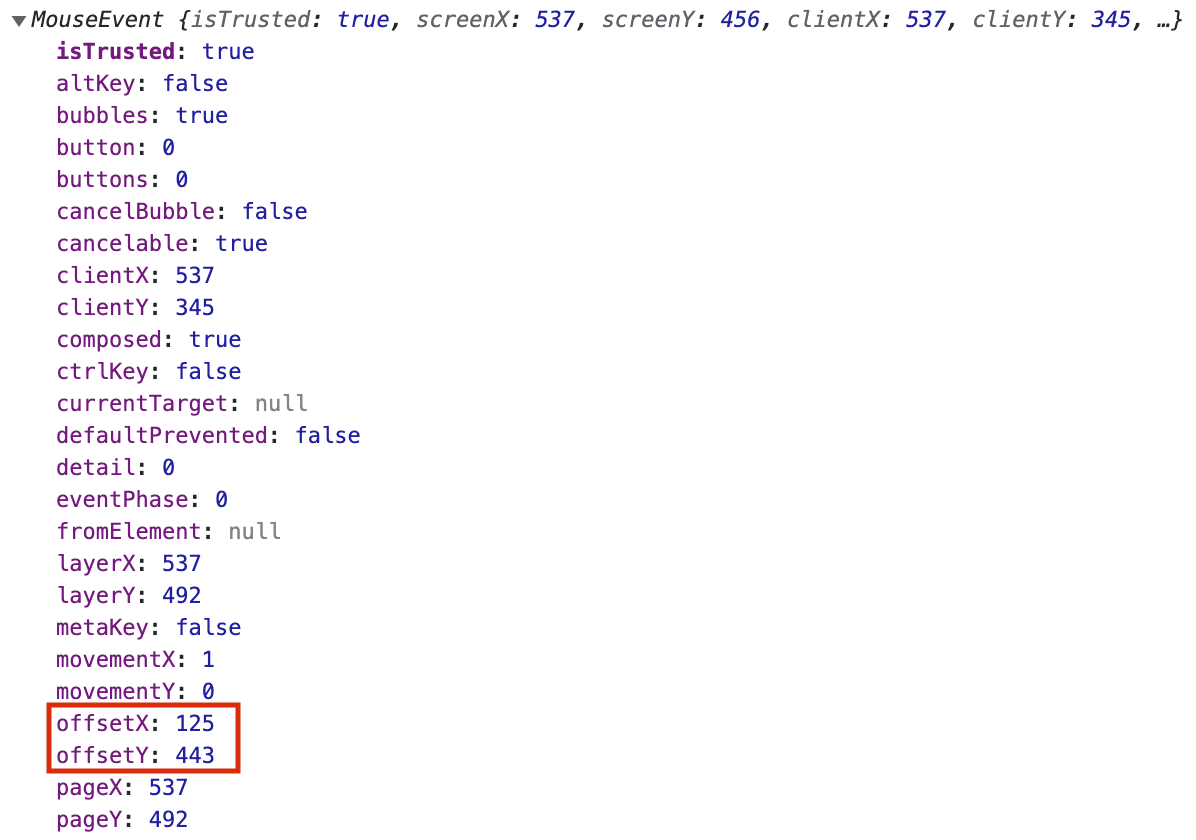
- offset값: 캔버스 범위 내에서 마우스 위치값
- client값: 윈도우 전체의 범위 내에서 마우스 위치값
2. offset 값을 변수로 저장
const x = event.offsetX;
const y = event.offsetY;
3. 클릭하고 마우스를 뗄때 까지 painting을 진행하는 이벤트
let painting = false; // painting이 진행되는지 여부

function stopPainting() { // 반복되는 코드를 함수로 정의, mouseleave
  painting = false;
}

function onMouseDown(event) { // 클릭했을 때: mousedown
  painting = true;
}

function onMouseUp(event) { // 마우스를 뗐을 때: mouseup
  stopPainting();
}
context
- 요소 안에서 픽셀에 접근할 수 있는 방법
- 2D context 불러오기
const canvas = document.getElementById("jsCanvas");
const ctx = canvas.getContext('2d');
- default 설정
ctx.strokeStyle="#2c2c2c"; // 라인의 색상/스타일
ctx.lineWidth = 2.5; // 라인의 굵기
- mouseMove 이벤트에 적용
function onMouseMove(event) {
  const x = event.offsetX;
  const y = event.offsetY;
  if(!painting) { // 클릭하지 않고 움직일 때
	ctx.beginPath(); // path 생성
	ctx.moveTo(x, y); // starting point 이동
  } else { // 클릭한 상태로 움직일 때
	ctx.lineTo(x, y); // 현재 sub-path의 마지막 점을 특정 좌표와 직선으로 연결
	ctx.stroke(); // 현재의 stroke style로 현재의 sub-path에 획을 그음
  }
}
- canvas(pixel modifier)에 실제 픽셀 사이즈 지정
canvas.width = 600;
canvas.height = 600;
* canvas에 선을 그리는 과정
1. 마우스를 움직이는 동안 계속해서 path를 생성
2. 클릭을 하면 마지막 생성 path와 현재 클릭 위치를 이어 하나의 라인으로 이어짐
3. 이어진 라인을 stroke로 색을 입히고 마우스의 움직임을 따라 계속해서 직선으로 연결하고 색을 입힘
'개발 > JavaScript' 카테고리의 다른 글
| [바닐라 JS] PaintJS - Fill, Save (0) | 2022.04.04 |
|---|---|
| [바닐라 JS] PaintJS - color, brush (0) | 2022.04.03 |
| [바닐라 JS] PaintJS - 스타일 설정 (0) | 2022.04.03 |
| [바닐라 JS] querySelectorAll (0) | 2022.03.31 |
| 테트리스 게임 만들기 (0) | 2021.09.17 |


