Filling Mode
- fill 버튼을 클릭하면 paint로 바뀌고(switch) canvas를 클릭하면 canvas 전체를 선택한 색으로 채우는 기능
- filling mode 이벤트
const mode = document.getElementById("jsMode");

let filling = false; // filling mode가 켜져있는지 여부

function handleModeClick(event) {
  if(filling == true) { // 클릭했을 때 켜져있으면
    filling = false; // 끄고
    mode.innerText = "Fill" // 버튼을 fill로 변경
  } else { // 꺼져있을 때
    filling = true; // 켜고
    mode.innerText = "paint" // 버튼을 paint로 변경
  }
}

if(mode) {
  mode.addEventListener("click", handleModeClick);
}
* ctx.fillRect(): 지정된 width와 height 사이즈로 (x,y) 포지션에 색이 채워진 사각형을 그림
* ctx.fillStyle()
- Fill test
ctx.fillStyle = "green";
ctx.fillRect(50, 20, 100, 49); // fillRect(x, y, width, height)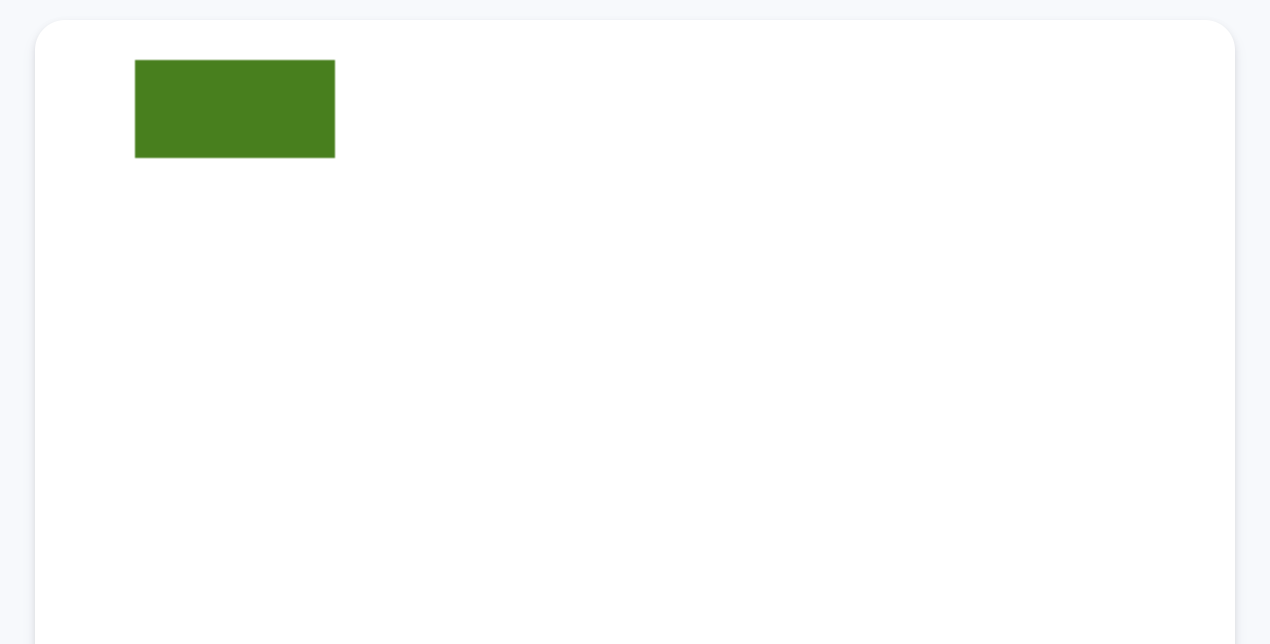
- color를 클릭할 때 fillStyle에도 저장
function handleColorClick(event) {
  const color = event.target.style.backgroundColor;
  ctx.strokeStyle = color;
  ctx.fillStyle = color; // 클릭한 컬러를 fillStyle에도 저장
}
- default 설정
const INITIAL_COLOR = "#2c2c2c"; // 중복되는 값을 변수로 지정

// default 값 설정
ctx.strokeStyle = INITIAL_COLOR;
ctx.fillStyle = INITIAL_COLOR;
- canvas를 클릭했을 때 fillRect() 적용
const CANVAS_SIZE = 600; // 중복되는 값을 변수로 지정

function handleCanvasClick(event) {
  if(filling) { // filling mode가 켜져있을 때
	ctx.fillRect(0, 0, CANVAS_SIZE, CANVAS_SIZE);
  }
}

canvas.addEventListener("click", handleCanvasClick); // 클릭했을 때
Saving the Image
- canvas의 기본 기능(pixel) -> 우클릭(context nemu) -> 이미지(png) 저장 가능
- context menu를 막고 save 버튼으로만 이미지 저장하게 만들기
- 기본 배경색 지정: canvas 기본 배경 색을 지정하지 않으면 투명으로 저장
ctx.fillStyle = "white"; // canvas 기본 fillRect 색상
ctx.fillRect(0, 0, CANVAS_SIZE, CANVAS_SIZE);
- 우클릭 금지: contextmenu 이벤트
function handleCM(event) {
  event.preventDefault();
}

canvas.addEventListener("contextmenu", handleCM)
- save button 클릭 이벤트
if(saveBtn) {
  saveBtn.addEventListener("click", handleSaveClick);
}
- canvas의 데이터를 image처럼 얻기
function handleSaveClick(event) {
  const image = canvas.toDataURL();
  const link = document.createElement("a"); // <a> 생성
  link.href = image; // href = URL
  link.download = "PaintJS[EXPORT]"; // download = file name
  link.click(); // 강제로 <a> 클릭 이벤트 발생
}
* HTMLCanvasElement.toDataURL(): 지정된 포맷(default: PNG)의 이미지 표현을 포함한 data URL 반환
'개발 > JavaScript' 카테고리의 다른 글
| [Node.js] 정보보호, Bcrypt (0) | 2022.07.21 |
|---|---|
| [Node.js] npm, express, mongoDB, 라이브러리 (0) | 2022.07.21 |
| [바닐라 JS] PaintJS - color, brush (0) | 2022.04.03 |
| [바닐라 JS] PaintJS - canvas (0) | 2022.04.03 |
| [바닐라 JS] PaintJS - 스타일 설정 (0) | 2022.04.03 |


